

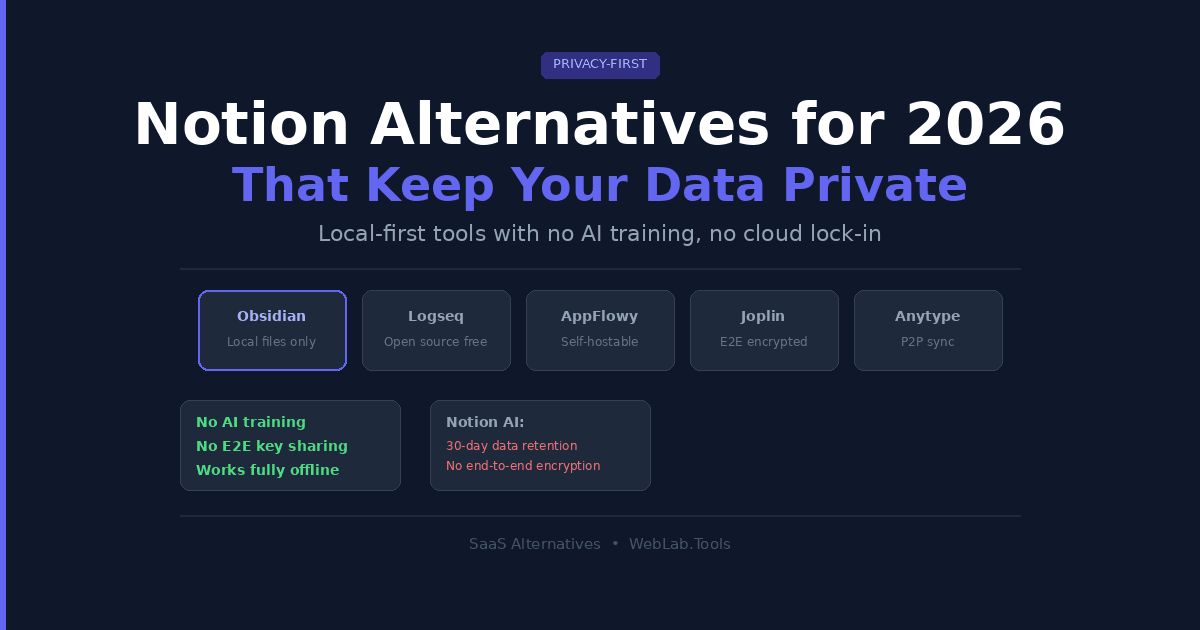
Notion is an excellent tool. I use it for certain projects myself. But if you have ever read through its privacy policy carefully — and most people haven’t — you’ll find something that gives privacy-conscious teams pause.
When you use Notion AI on any plan below Enterprise, your data is passed to third-party AI subprocessors including OpenAI and Anthropic. Those providers retain your data for up to 30 days. Notion says this is for abuse monitoring. Notion AI security practices. That may be true. But for a founder storing product strategy, a lawyer drafting client notes, or a developer documenting internal systems, that 30-day window sitting on someone else’s server is not acceptable risk.
This is the article for people who have already made that decision. Not “should I trust Notion?” — but “what do I use instead?”
Table of Contents
The Real Notion Privacy Problem (It’s More Nuanced Than You Think)
Let me be direct about this because most articles get it wrong.
Notion does not train its AI models on your content. That part is clear in their terms. The subprocessors they use are also contractually prohibited from training on your data. So the “Notion is stealing your data to train AI” claim is inaccurate.
If you are evaluating tools more broadly, see our ClickUp Alternatives 2026 roundup
The actual concern is different and more specific:
- No end-to-end encryption. Notion holds the decryption keys. Their team can technically access your content. For most users this is fine. For sensitive legal, financial, or strategic documents, it’s a meaningful risk.
- Third-party AI data retention. On Free, Plus, and Business plans, your content passed through Notion AI sits with OpenAI or Anthropic for up to 30 days. Zero-retention APIs are Enterprise-only.
- US-based servers. If you’re in the EU managing GDPR-sensitive data, Notion’s US hosting creates compliance considerations even with their DPA in place.
- No offline mode. Notion requires an internet connection for most operations. The limited offline mode added recently is unreliable for heavy usage.
If any of those four points describe your situation, you’re in the right place.
Quick Comparison — Privacy-First Notion Alternatives
| Tool | Storage | E2E Encryption | Offline | Free Plan | Starting Price |
|---|---|---|---|---|---|
| Obsidian | Local files | N/A — local only | Yes, full | Yes | $0 (sync $4/mo) |
| Logseq | Local files | N/A — local only | Yes, full | Yes | Free |
| AppFlowy | Local or self-hosted | Optional | Yes | Yes | Free (self-hosted) |
| Joplin | Local + your cloud | Yes | Yes | Yes | Free |
| Anytype | Local + peer-to-peer | Yes | Yes | Yes | Free |
Pricing as of May 2026 — verify at each tool’s official site before publishing.
1. Obsidian — Best Local-First Knowledge Base for Power Users
Obsidian is the most private mainstream knowledge tool available in 2026. Every note is a plain Markdown file stored on your device in a folder you control. Nothing is sent to any server unless you explicitly choose to use Obsidian Sync — and even then, Sync uses end-to-end encryption, meaning Obsidian the company cannot read your vault.
I tested Obsidian for managing web project documentation and research notes across multiple client workflows. The bidirectional linking system is genuinely excellent once you build a habit around it. Notes connect to each other the way ideas actually connect — not in a folder hierarchy, but through contextual links. The Graph View shows the entire shape of your knowledge base at a glance.
The plugin ecosystem is where Obsidian pulls ahead of everything else in this category. There are over 1,000 community plugins. The “Smart Connections” plugin lets you run AI-powered note search using a local Ollama model — meaning AI assistance with zero data leaving your device. That is a genuinely powerful combination that no cloud-based tool can match.
What most Obsidian reviews miss:
Obsidian has zero built-in real-time collaboration. Two people cannot edit the same note simultaneously. If your team needs a shared wiki or collaborative documentation, Obsidian will frustrate you. It’s a personal knowledge tool first. Team use requires workarounds through Git or shared vaults, which add friction.
- Personal use: Free (no account required).
- Obsidian Sync: $4/month (billed annually) — end-to-end encrypted sync across devices
- Obsidian Publish: $8/month (billed annually) — publish notes as a website
- Commercial license: $50/year per user (required for business use)
Best for: Solo founders, researchers, writers, and developers who want a private, offline-first knowledge base with deep customization.
Skip if: Your team needs real-time collaborative editing or a shared workspace. Obsidian is not built for that use case.
2. Logseq — Best Free and Open-Source Alternative
Logseq is philosophically identical to Obsidian: local files, plain text, bidirectional linking, graph view, full offline. The difference is structure. Logseq is an outliner. Every note is a series of bullet-point blocks you indent, collapse, reference, and link. Daily journals are the default entry point — you open the app and land on today’s page, then link out from there.
For people who think in lists and who capture ideas throughout the day before organizing them, this model is natural. For people who prefer writing in long-form prose documents, it takes adjustment.
Logseq is fully free and open-source. The codebase is public. There is no company that can raise prices, change terms, or shut down and take your data with it. Your notes are Markdown files in a folder — readable in any text editor for the next 50 years regardless of what happens to the project.
What most Logseq reviews miss:
Logseq’s database version (the major architectural rewrite that improves performance and querying) has been in development for an extended period. The current version can feel slower than Obsidian on large vaults. If you’re migrating thousands of notes, test performance before committing.
- Core app: Completely free and open-source
- Logseq Sync: In public beta — pricing not publicly confirmed; check official site before publishing [PRICING UNVERIFIED: check logseq.com before publishing]
Best for: Privacy-focused individuals and researchers who want a free, open-source, outliner-first knowledge tool with no vendor dependency.
Skip if: You need a stable team collaboration layer or you find outline-based thinking frustrating. Logseq’s block structure is not for everyone.
3. AppFlowy — Best Notion-Like Experience Without the Cloud
AppFlowy is the closest thing to a Notion replacement on this list in terms of feature shape. It has databases, kanban boards, documents, grids, and calendars — the same feature vocabulary as Notion — but built with data sovereignty as a core design principle.
The key difference is where your data lives. AppFlowy gives you three options: run it locally on your machine, self-host it on your own server, or use AppFlowy Cloud. The first two options mean your data never touches AppFlowy’s infrastructure at all. For teams with a technical person who can manage a server, self-hosted AppFlowy is a genuinely compelling Notion replacement with zero ongoing subscription cost for the software itself.
AppFlowy is built with Rust and Flutter, which gives it noticeably snappier performance than Notion on slower machines. The interface is clean and immediately familiar to anyone who has used Notion.
The honest limitation:
AppFlowy’s integration ecosystem is thin compared to Notion. If your workflow depends on Zapier, Slack, or Google Drive integrations embedded inside your workspace, AppFlowy will feel limited. The product is also still maturing — some features Notion users take for granted (advanced database formulas, sophisticated automations) are not yet fully built out.
- Self-hosted: Free (you cover your own server costs)
- Cloud Free: $0 — up to 2 members, 5GB storage, 100 AI responses
- Cloud Pro: $12.50/user/month — unlimited members, unlimited storage, unlimited AI
- AI Add-ons: $6–$8/user/month for advanced AI models [PRICING UNVERIFIED: check appflowy.com/pricing before publishing]
Best for: Technical teams and privacy-focused individuals who want Notion-style databases and documents with full control over where data lives.
Skip if: You need a rich integration ecosystem or your team is non-technical and cannot manage self-hosting. AppFlowy Cloud works but removes the core privacy advantage.
4. Joplin — Best for End-to-End Encrypted Note Syncing
Joplin is an open-source note-taking app that handles the sync problem differently from Obsidian and Logseq. Rather than leaving sync entirely to you, Joplin has end-to-end encryption built in and syncs through cloud storage providers you already control — Dropbox, OneDrive, Nextcloud, WebDAV, or Joplin Cloud.
The encryption is the headline feature. Your notes are encrypted on your device before they leave it. Even if someone gained access to your Dropbox folder containing your Joplin sync data, they would see encrypted files — not readable content. This is genuinely stronger than what Notion, Obsidian Sync, or most cloud tools offer.
Joplin supports Markdown, has a WYSIWYG editor option, handles attachments well, and runs on Windows, macOS, Linux, Android, and iOS. For someone migrating from Evernote, the import via .enex files is clean and preserves formatting and attachments better than most alternatives.
The honest limitation:
Joplin does not have bidirectional linking or a graph view. If connected thinking and networked notes are central to how you work, Joplin is too simple. It’s closer to a well-organized encrypted notebook than a knowledge graph. The interface also feels less polished than Obsidian.
- Core app: Free and open-source
- Joplin Cloud Basic: approximately $3.15/month (billed annually)
- You can also self-sync for free using Dropbox, OneDrive, or Nextcloud
Best for: Privacy-conscious users migrating from Evernote who want end-to-end encryption and flexible sync without a complex setup process.
Skip if: You need a knowledge graph, bidirectional linking, or a polished modern interface. Joplin is functional rather than beautiful.
5. Anytype — Best for Private Sync Without Self-Hosting
Anytype is the newest and most technically ambitious tool on this list. It’s local-first with an encrypted peer-to-peer sync model — meaning your data syncs across your devices without passing through a central server that any company controls. The encryption keys never leave your devices. Anytype the company cannot read your notes even if they wanted to.
The feature set is genuinely impressive for a product at this stage. Anytype uses an object-based structure where everything — a note, a task, a book, a person — is a typed object with properties and relations. This is more flexible than Notion’s database model once you understand it, though the learning curve is steeper.
The honest limitation:
Anytype is still maturing. Real-time collaboration features are more limited than Notion’s, and the object model is genuinely different from what most people expect from a note-taking tool. Budget time to learn it before evaluating whether it fits.
- Personal: Free — local storage, encrypted sync, unlimited objects
- Plus: [PRICING UNVERIFIED: check anytype.io/pricing before publishing]
- Teams and Business: [PRICING UNVERIFIED: check anytype.io/pricing before publishing]
Best for: Privacy-first individuals and small teams who want encrypted sync without managing their own server — and are willing to invest time learning a different organizational model.
Skip if: You need rock-solid real-time team collaboration or an immediate Notion-like experience. Anytype rewards patience but is not a drop-in replacement.
Which Tool Should You Choose?
The right choice depends on why Notion’s privacy model doesn’t work for you.
Choose Obsidian if you’re a solo user who wants the most private, most powerful knowledge tool available, full offline support, and you’re comfortable with Markdown. The plugin ecosystem makes it the most extensible option on this list.
Choose Logseq if you want everything Obsidian offers but prefer an outliner structure and want zero software cost with no vendor risk whatsoever. It’s the most sovereign choice on this list.
Choose AppFlowy if your team currently uses Notion for databases and documents and you want the closest feature match with the option to self-host. Get someone technical to set up the self-hosted version and your data stays on your infrastructure entirely.
Choose Joplin if encryption of your notes during sync is the primary concern and you want a simple, reliable solution that doesn’t require managing servers or learning a new organizational model.
Choose Anytype if you want private encrypted sync without self-hosting and you’re interested in a more structured, object-based approach to knowledge management.
One thing worth noting from experience managing web project documentation: the most private tool is worthless if your team won’t use it. Before switching a team away from Notion, test your shortlisted tool with real workflows for at least two weeks. A tool nobody opens is worse than an imperfect tool everyone uses.
FAQ
Is Notion actually unsafe to use?
For most users, Notion is not unsafe. The company does not train AI on your data and has SOC 2 Type 2 and ISO 27001 certifications. The concern is specific: non-Enterprise users have their AI-processed content retained by third-party providers for up to 30 days, and Notion does not use end-to-end encryption. For sensitive legal, financial, or strategic documents, those two factors matter.
What is the most private Notion alternative in 2026?
Obsidian and Logseq are the most private options because your data never leaves your device at all — there is no server, no account, and no company infrastructure involved. If you need sync, Joplin and Anytype both use end-to-end encryption so even their own servers cannot read your content.
Can I migrate from Notion to Obsidian?
Yes, with caveats. Notion exports to Markdown, which Obsidian reads natively. All your text content migrates cleanly. What you lose is relational database structure — Notion’s databases become flat Markdown files in Obsidian. Several community tools help automate the migration and preserve internal links, but expect to spend time reorganizing if you have complex databases.
Do any of these tools work offline?
Obsidian, Logseq, AppFlowy, Joplin, and Anytype all work fully offline since they store data locally by default. This is a significant practical advantage over Notion, which requires an internet connection for most operations and has an unreliable offline mode.
Is AppFlowy ready to replace Notion for teams in 2026?
For teams with basic documentation and database needs, yes. AppFlowy’s core features cover the main Notion use cases — pages, databases, kanban boards, and calendars. Where it falls short is the integration ecosystem and advanced database formulas. If your team relies on Notion integrations with tools like Zapier, Slack, or GitHub, AppFlowy will feel limited. If you’re primarily using Notion as a wiki and project tracker, AppFlowy handles that well.

