
ClickUp promised to replace every tool your team uses. For a lot of teams, it replaced their sanity instead.
I’ve tested most of these tools hands-on while running my own digital projects — managing client orders, content pipelines, and web operations across multiple workflows. ClickUp was one of the first platforms I set up seriously. Within three weeks, I had 14 open views, two half-built automation sequences, and a team that kept defaulting back to WhatsApp because nobody could find anything. That’s not a ClickUp failure — that’s a ClickUp mismatch.
The feature count is genuinely impressive — 15+ views, docs, whiteboards, goals, time tracking, automations, and now an AI add-on at an extra $7 per user per month. But impressive and useful are different things. If your team spends more time configuring ClickUp than actually working in it, you already know the problem.
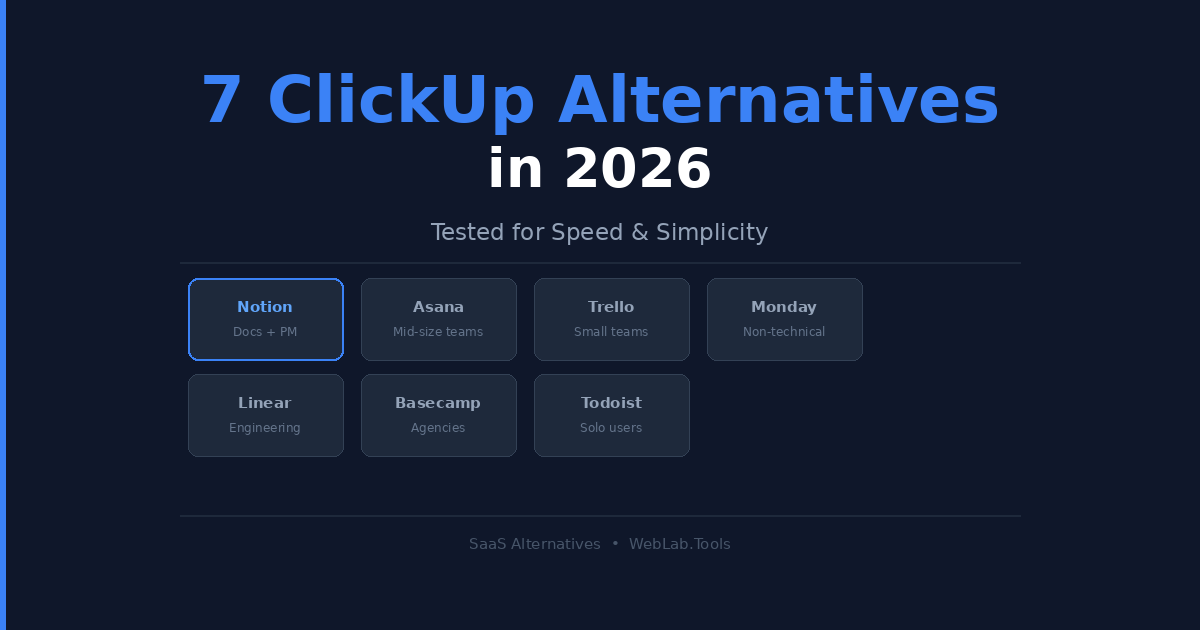
This isn’t a “ClickUp is bad” article. It’s a “ClickUp might be wrong for your team” article. Here are 7 alternatives that are faster to set up, simpler to run, and in some cases — significantly cheaper.
Table of Contents
TL;DR — Best ClickUp Alternatives at a Glance
| Tool | Best For | Free Plan | Starting Price |
|---|---|---|---|
| Notion | Docs + lightweight PM | Yes | $10/user/mo |
| Asana | Mid-size teams | Yes (10 users) | $10.99/user/mo |
| Trello | Small teams | Yes | $5/user/mo |
| Monday.com | Non-technical teams | Limited | $9/user/mo |
| Linear | Engineering teams | Yes | $10/user/mo |
| Basecamp | Remote agencies | No | $299/mo flat |
| Todoist | Solo users | Yes | $4/user/mo |
Why Teams Are Leaving ClickUp in 2026
Here’s what most ClickUp reviews won’t tell you. The free plan caps storage at 100 MB, and the Unlimited plan only gives you 1,000 automations per month. That sounds fine until you’re running a 10-person marketing team with onboarding workflows, client handoffs, and reporting automations all firing simultaneously.
Then there’s the AI situation. ClickUp Brain costs an extra $7/user/month on top of any paid plan. A 10-person team on the Business plan ($12/user/mo) that wants AI for everyone is now paying $190/month. That’s a meaningful jump from where ClickUp positioned itself two years ago — and it’s the number I see cited most often in the communities where founders discuss switching tools.
The other quiet problem is mobile. ClickUp’s mobile app has consistently lagged behind its desktop experience. I noticed this while trying to update task statuses between meetings on my phone — actions that took two taps on Trello required four screens in ClickUp. For a team that works on the go, that gap costs real time every day.
1. Notion — Best for Teams That Live in Documents
Notion sits in a different category than most ClickUp alternatives. It’s not purely a project management tool — it’s a knowledge workspace that also does project management. If your team’s workflow is documentation-heavy — wikis, SOPs, content calendars, product specs — Notion is where that work naturally lives.
I use Notion for content planning and internal documentation across my own projects. The database system is genuinely powerful once you understand it. You can build kanban boards, table views, timeline views, and gallery views all from the same dataset. A content team can manage a calendar, a wiki, and a client-facing roadmap in one linked workspace without paying for three separate tools.
What most Notion reviews miss: Notion isn’t great at tracking work in progress for larger teams. Past 20–25 people, the lack of workload visibility becomes a real problem. There’s no native time tracking, no task dependency management, and no built-in reporting that gives a manager a real-time view of who is overloaded and who isn’t. It works brilliantly as a hub. It struggles as a pure operations tool at scale.
Pricing as of May 2026:
- Free: Unlimited pages and blocks, individual use
- Plus: $10/user/month (billed annually)
- Business: $20/user/month (billed annually)
- Enterprise: Custom pricing
Best for: Startups, content teams, and product teams under 30 people who prioritize documentation alongside task tracking.
Skip if: You need Gantt charts, time tracking, or workload management. Notion will frustrate you within a month.
2. Asana — Best for Mid-Size Teams With Real Workflows
Asana is the most direct ClickUp competitor on this list. Both are purpose-built project management platforms with multiple views, automation engines, and deep integrations. The difference is philosophy.
ClickUp gives you every option and lets you figure it out. Asana makes decisions for you — and for most teams, that’s the right call. When I helped set up a workflow for a small web project team, Asana was the only tool where non-technical people were assigning tasks and updating statuses on day one without a training session.
The automation builder at the Starter tier is cleaner than ClickUp’s at comparable pricing. Custom fields, timeline view, and rules-based automation are all available at $10.99/user/month — features ClickUp locks behind its Business plan. Asana’s project status dashboards are also stronger out of the box, without requiring custom configuration.
The honest limitation: Asana’s free plan caps at 10 users and excludes timeline view entirely. Any real team hits the paywall fast. The Advanced plan at $24.99/user/month is expensive for what it adds — mainly portfolios and goals, which most teams under 50 people don’t actually use day-to-day.
Pricing as of May 2026 :
- Free: Up to 10 users, basic task management only
- Starter: $10.99/user/month (billed annually)
- Advanced: $24.99/user/month (billed annually)
- Enterprise: Custom pricing
Best for: Marketing, operations, and agency teams of 10–100 people who need real workflow automation and a clean UI that new hires can learn in a morning.
Skip if: You’re a solo founder or a team under 5 people. The structure is overkill and the pricing reflects it immediately.
3. Trello — Best for Small Teams Who Just Need It to Work
Trello is what you reach for when a project management tool is eating more time than it’s saving. It’s a kanban board. Cards move through lists. That’s the product. And for a huge slice of teams — freelancers, small startups, marketing teams running campaigns — that’s genuinely all they need.
I kept a Trello board running for months managing a content production pipeline for a web project. Zero setup time. Zero training. The team understood it the moment they logged in. That simplicity has real value when you’re moving fast.
The free plan is the most usable free tier on this list — unlimited cards, unlimited personal boards, and basic automation through Butler. The Standard plan at $5/user/month adds unlimited boards and custom fields. Premium at $10/user/month adds Timeline, Dashboard, and Calendar views, which is where Trello starts competing with ClickUp’s mid-range features at a lower price point.
The real limitation: Trello doesn’t scale. Past 20 simultaneous projects across departments, cross-board visibility collapses entirely. There’s no workload management, no native time tracking, and no real task dependencies. For simple team coordination it’s excellent. For complex multi-team operations, you’ll outgrow it in six months.
Pricing as of May 2026:
- Free: Unlimited cards, up to 10 boards per workspace
- Standard: $5/user/month (billed annually)
- Premium: $10/user/month (billed annually)
- Enterprise: $17.50/user/month (billed annually, 50+ users minimum)
Best for: Freelancers, teams under 15 people, and anyone running simple projects who wants zero setup time.
Skip if: You need Gantt charts, resource management, or cross-team visibility. You’ll hit the ceiling fast and spend money migrating.
4. Monday.com — Best for Non-Technical Teams
Monday.com built its entire product around one idea: a spreadsheet that doesn’t feel like a spreadsheet. The column-based, color-coded interface is intuitive enough that a non-technical team lead can set up a full project tracker in under an hour without reading a single help doc.
That ease of use is Monday’s real competitive advantage over ClickUp. Where ClickUp rewards power users who invest time learning it, Monday.com rewards anyone who has ever used a spreadsheet. Sales teams, HR teams, and operations departments that would struggle with ClickUp pick up Monday.com in a day.
What most Monday.com reviews miss: The free plan is nearly useless for real teams — limited to 2 seats and 3 boards. And Monday.com enforces a minimum of 3 seats on all paid plans. You cannot buy a 2-person plan. That’s a forced $27/month minimum before you’ve run a single workflow. I’ve seen small teams get surprised by this when their card gets charged at signup.
The Standard plan at $12/user/month includes 250 automations per month with a drag-and-drop builder that requires no technical knowledge. The Pro plan at $19/user/month bumps that to 25,000 automations and adds time tracking and formula columns.
Pricing as of May 2026:
- Free: 2 seats, 3 boards — barely usable for any real team
- Basic: $9/user/month (billed annually, 3-seat minimum)
- Standard: $12/user/month (billed annually)
- Pro: $19/user/month (billed annually)
- Enterprise: Custom pricing
Best for: Non-technical teams of 5–50 people who need visual project tracking and strong automation without complexity.
Skip if: You’re a 2-person team — the 3-seat minimum will force you to pay for a seat you don’t use from day one.
5. Linear — Best for Engineering Teams
Linear is the tool engineering teams reach for when they’re tired of Jira’s complexity and ClickUp’s generalism. It’s opinionated, fast, and built specifically for software development — sprints, cycles, issues, and roadmaps.
The speed difference is real and tangible. Linear is one of the fastest web apps in the productivity category. Keyboard shortcuts work reliably. Search is instant. The interface loads without perceptible lag. For developers spending hours every day inside a project management tool, that performance compounds into genuine productivity gains over a quarter.
The honest limitation: Linear has strong opinions and doesn’t bend to your workflow — your workflow bends to Linear. If your development team doesn’t fit the issue → cycle → project model, it feels like a constraint rather than a tool. There’s no native documentation, no time tracking, and no resource management. It’s a specialist tool for a specific audience. If you’re not that audience, don’t force it.
Pricing as of May 2026:
- Free: Up to 250 issues, unlimited members
- Standard: $10/user/month (billed annually)
- Plus: $16/user/month (billed annually)
- Enterprise: Custom pricing
Best for: Software engineering teams of any size who want speed, developer-first workflow design, and none of Jira’s overhead.
Skip if: You’re a non-technical team, or you need docs, time tracking, and resource planning built into the same tool.
6. Basecamp — Best for Remote Teams and Agencies at Scale
Basecamp takes a completely different approach to project management than everyone else on this list. No Gantt charts. No kanban boards in the traditional sense. No sprint points. What you get instead: message boards, to-do lists, group chat (Campfire), file storage, and automatic check-ins — all organized per project.
It sounds limited. Teams that work inside Basecamp tend to love it precisely because it is limited. There’s no decision fatigue about which view to configure or which automation to build. Everyone does the same things in the same places.
The pricing model is where Basecamp becomes genuinely interesting. The Pro Unlimited plan charges a flat $299/month — unlimited users, unlimited projects, 5TB of storage. For a 30-person team, that’s roughly $10 per person. For a 100-person team, it’s $3 per person. Most agencies at that scale are paying $1,000+ per month on per-seat tools. Basecamp cuts that by 60–70% and the savings compound every month.
The real limitation: Basecamp isn’t built for technical teams. There’s no dependency tracking, no Gantt charts, no automation engine to speak of. The async check-in model is a deliberate design choice — not ideal for teams that need real-time task visibility at a granular level.
Pricing as of May 2026:
- Free: No free plan — 30-day trial available
- Basecamp: $15/user/month
- Pro Unlimited: $299/month flat (unlimited users and projects)
Best for: Remote agencies, creative studios, and distributed teams of 20+ people who want to escape per-seat pricing and value async communication.
Skip if: You need Gantt charts, task dependencies, or sprint planning. Your engineering team will find it baffling.
7. Todoist — Best for Solo Users and Small Teams
Todoist isn’t a project management platform. It’s a task manager. That distinction matters more than most productivity articles admit. If what you actually need is a reliable, fast, cross-platform to-do list — not a full PM system — Todoist is the cleanest option available at any price.
Natural language date parsing (“next Monday at 3pm”) works reliably every time. The mobile apps are genuinely excellent — some of the best in the category. Adding a task takes two seconds, not ten. I use Todoist personally for recurring individual tasks that don’t belong in a team tool. At $4/user/month it’s a category winner for personal productivity.
The honest limitation: Team features are intentionally thin. No timeline view, no automation builder, no workload management. Also worth noting: Todoist raised its Pro monthly pricing by roughly 40% in late 2025, which frustrated long-time users who were on legacy plans. If you’re on monthly billing, check your current rate against the new pricing before renewing.
Pricing as of May 2026:
- Free: Up to 5 active projects, basic features
- Pro: $4/user/month (billed annually)
- Business: $6/user/month (billed annually)
Best for: Solo founders, freelancers, and individuals who want a fast reliable task manager without any project management complexity.
Skip if: You’re a team of 5+ managing concurrent projects with dependencies and handoffs. Todoist’s collaboration layer will frustrate you within a week.
ClickUp Pricing Reality Check
Before switching, understand what ClickUp actually costs at scale.
ClickUp pricing as of May 2026:
- Free Forever: $0 — 100 MB storage, unlimited tasks
- Unlimited: $7/user/month (billed annually) — 1,000 automations/month
- Business: $12/user/month (billed annually) — unlimited automations, private docs
- Enterprise: Custom pricing — contact sales required
- ClickUp Brain (AI add-on): +$7/user/month on any paid plan
A 10-person team on Business + AI is paying $190/month. That single number explains why most people reading this article are already looking for alternatives.
Final Verdict — Which ClickUp Alternative Should You Choose?
Choose Notion if you’re a startup or content team under 30 people who needs docs and task management in one place and doesn’t require Gantt charts or resource planning.
Choose Asana if you’re a marketing or operations team of 10–100 people who needs real workflow automation and a UI that new hires can use on day one.
Choose Trello if you’re a small team under 15 people running straightforward projects and a kanban board is honestly all you need. Don’t overcomplicate it.
Choose Monday.com if you have a non-technical team that needs visual project tracking and your team lead doesn’t have 40 hours to become a ClickUp power user.
Choose Linear if you’re an engineering team. Full stop. It’s faster, cleaner, and built for how developers actually work.
Choose Basecamp if you’re a remote agency of 20+ people where async communication is the real bottleneck and per-seat pricing is eating your margins.
Choose Todoist if you’re honest with yourself that what you actually need is a great personal task manager, not a project management platform.
The best tool is the one your team actually opens every morning. Pick accordingly.
FAQ
What is the best free ClickUp alternative?
Notion and Asana offer the most usable free plans. Notion has no user limit on its free tier and covers unlimited pages with basic database features. Asana’s free plan covers up to 10 users with task assignments, due dates, and multiple views. Trello’s free plan is also strong for small teams that only need kanban boards to manage their work.
Is Monday.com cheaper than ClickUp?
At the entry tier, ClickUp Unlimited ($7/user/month) is cheaper than Monday.com Basic ($9/user/month). But once you add ClickUp Brain at $7/user/month, the gap closes fast. For AI-enabled teams, the cost comparison shifts significantly depending on team size and which Monday.com tier you’re comparing against.
Which ClickUp alternative is best for engineering teams?
Linear. It’s built specifically for software development workflows and is significantly faster and less cluttered than both ClickUp and Jira. The free plan handles small teams well, and the Standard plan at $10/user/month is competitive for everything a developer-focused team needs day to day.
Can Notion fully replace ClickUp?
For teams under 20–25 people with documentation-heavy workflows, yes — Notion handles task management and knowledge management in one workspace. But it lacks native Gantt charts, time tracking, workload visibility, and resource planning. At scale, most teams use Notion as a knowledge hub alongside a dedicated PM tool rather than as a standalone replacement.
Why is Basecamp’s flat pricing worth considering?
Basecamp Pro Unlimited is $299/month regardless of how many users you add. A 60-person team pays about $5 per person per month — versus $720/month on ClickUp Business for the same headcount. The savings are real and compound as your team grows, which is why agencies specifically tend to make this switch as they scale past 25 people.

