

Jobber is a solid piece of software. If you’re running a small residential plumbing operation with 2–5 technicians, it does exactly what it promises — scheduling, invoicing, client communication, and QuickBooks sync in one clean interface.
The problems start at predictable points. Your sixth technician means a plan upgrade. The reporting stays basic no matter which tier you’re on. Flat-rate price book functionality — the standard pricing model for most plumbing shops — requires workarounds that Jobber was never designed to support cleanly. And if you’re missing inbound calls during lunch or after hours, Jobber has no answer for that.
While building local SEO infrastructure and managing digital operations for service businesses at WebLab Tools, I constantly see the same bottleneck: plumbers trying to force Jobber to do things it wasn’t built for. The right Jobber alternative depends entirely on why it stopped working for you. This article gives you a clear answer based on team size, budget, and the specific workflow gap you’re trying to close.
Table of Contents
Why Plumbing Businesses Specifically Outgrow Jobber
Before comparing alternatives, it’s worth being precise about what Jobber actually lacks for plumbing businesses — because “outgrew Jobber” means different things depending on your operation.
Flat-rate pricing book. Most plumbing shops operate on flat-rate pricing — fixed prices per job type, not time-and-materials. Jobber does not have a native flat-rate price book. You can build workarounds using line items and saved job templates, but it’s exactly that — a workaround. If your techs are quoting jobs in the field, they need instant access to a price book that calculates Good/Better/Best options automatically. Jobber can’t do this.
Missed call handling. A plumbing customer with a burst pipe calls you, gets voicemail, and books your competitor 90 seconds later. Jobber has no missed-call text-back feature. You miss the call, you miss the job. At $39–$249/month, that’s an expensive gap for a service where first-to-respond usually wins the booking.
Reporting depth. Jobber’s reporting is basic across every tier. Job profitability, technician performance, revenue by service type — you’re exporting to Excel and building that analysis yourself.
Per-user pricing anxiety. Jobber’s Connect plan at $129/month covers up to 5 users. Add a sixth and you’re on Grow at $249/month. Hire again and you’re calling sales. For a business trying to scale from 5 to 10 techs, that pricing structure creates a ceiling effect where adding headcount feels financially punishing.
Quick Comparison — Jobber vs. 5 Alternatives
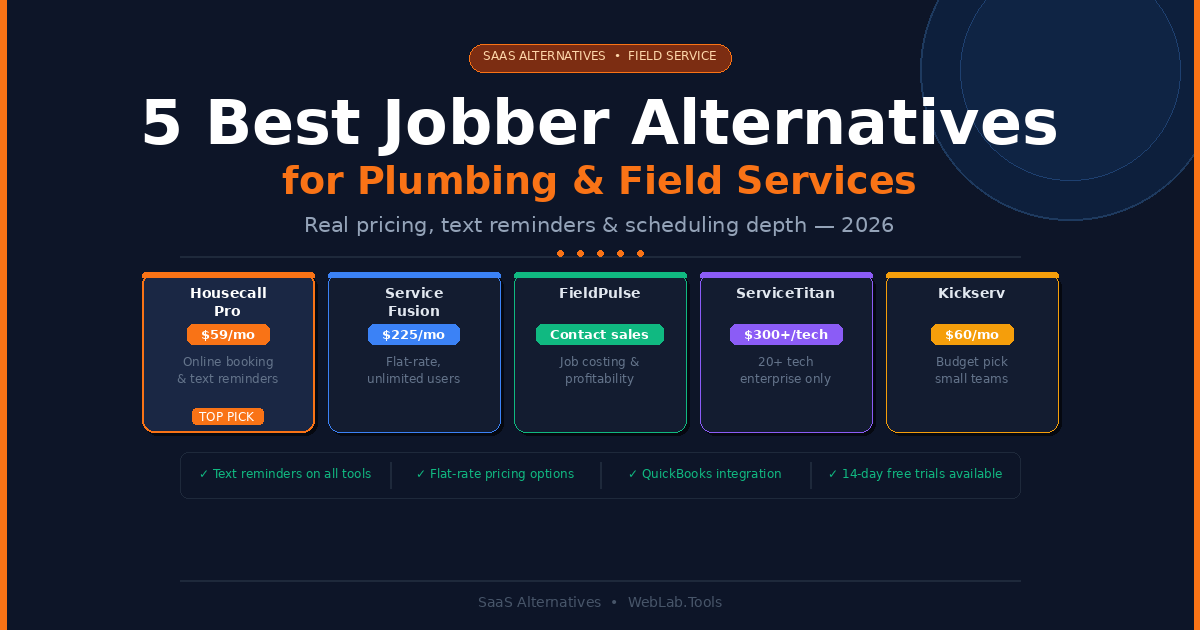
| Tool | Best For | Free Trial | Starting Price | Flat-Rate Pricing | Text Reminders |
|---|---|---|---|---|---|
| Jobber | Small teams, clean UI | 14 days | $39/month | No | Yes (higher tiers) |
| Housecall Pro | Marketing + bookings | 14 days | $59/month | Via add-on | Yes |
| Service Fusion | Mid-size, flat pricing | Yes | $225/month | Yes | Yes |
| FieldPulse | Growing teams, depth | 14 days | Contact for pricing | Yes | Yes |
| ServiceTitan | 20+ tech enterprises | Demo only | ~$300–500/tech/mo | Yes | Yes |
| Kickserv | Budget, small teams | Yes | $60/month (5 users) | Limited | Yes |
All prices as of May 2026 — confirm at each tool’s official pricing page before purchasing.
1. Housecall Pro — Best for Customer Communication and Online Booking
If the reason you’re leaving Jobber is missed calls, weak customer follow-up, or the inability to take online bookings from Google Search directly — Housecall Pro is the most focused solution to that specific problem.
The platform’s integration with Google Local Services Ads lets customers book jobs directly from Google search results, 24/7, without calling your office. That booking lands in your dispatch calendar automatically. For an emergency plumbing operation where the first-to-respond wins, that capability alone recovers more jobs per month than most software features combined.
Text and email reminders are built into every plan — automated appointment confirmations, tech-on-the-way notifications, and post-job review requests. The review generation workflow is particularly strong. After a job closes, the system automatically sends a review request to the customer. Over 6 months, that automation compounds into a meaningfully better Google review profile, which feeds back into Local Services ranking.
The iOS mobile app is excellent — rated 4.5/5 on the App Store. Techs can view job details, capture photos, collect signatures, and process payments in the field without calling the office. The Android app is a different story, sitting at 3.2/5 — if your field team is on Android, that gap matters in daily usage.
What most Housecall Pro reviews miss: QuickBooks integration on Housecall Pro requires the Essentials plan at $149/month. The Basic plan at $59/month has no accounting integration. For a plumbing business where QuickBooks is the financial backbone, you’re effectively starting at $149/month — not $59. That changes the cost comparison against Jobber materially. The Housecall Pro pricing page buries this detail.
Also worth noting: Housecall Pro does not include native job costing. If you need to track material costs, labor, and profitability per job, you’ll need a separate tool — which doubles your administrative workflow.
Pricing as of May 2026 — confirm at housecallpro.com/pricing:
- Basic: $59/month (1 user) — no QuickBooks integration
- Essentials: $149/month (up to 5 users) — includes QuickBooks, GPS tracking
- MAX: $299/month — up to 8 users, sales proposals, advanced features
- Additional users on MAX: $35/month each
- Payment processing: 2.49%–3.49% per transaction
Best for: Small residential plumbing businesses (1–10 techs) that need strong online booking, customer communication, and review generation — especially those getting Google Local Services traffic.
Skip if: Your team is on Android, you need job costing, or your workflow is commercial and project-based rather than residential service calls.
2. Service Fusion — Best Flat-Rate Pricing for Mid-Size Teams
Service Fusion’s headline feature is its pricing model: flat rate per month, unlimited users. No per-tech fees, no pricing anxiety when you hire your eighth plumber. The Starter plan at $225/month covers unlimited users across scheduling, dispatching, invoicing, customer management, and GPS fleet tracking.
For a plumbing operation between 8–25 technicians where Jobber’s per-user model creates real monthly cost friction, Service Fusion’s flat rate changes the economics significantly. A 10-tech team on Jobber Grow ($249/month for up to 15 users) is close to equivalent — but as the team grows to 20, Service Fusion’s flat rate becomes a genuine budget advantage.
The dispatch grid — a visual board showing all techs, their current jobs, and their locations on a map — is one of the better scheduling interfaces in the mid-market FSM category. Dragging a job from the unassigned queue onto an available tech’s schedule lane is genuinely faster than Jobber’s calendar-based approach for high-volume dispatching days.
Text reminders, two-way SMS with customers, automated job status updates, and post-job follow-up sequences are all included. The customer communication layer is not as polished as Housecall Pro’s marketing tools, but it covers the core workflow: confirm the appointment, notify when the tech is en route, send the invoice, collect the review.
The honest limitation: Service Fusion’s interface is functional but dated. The UI design language is 2018, not 2026. New users find it less intuitive than Jobber or Housecall Pro on first contact, and the onboarding curve is steeper. If you’re transitioning from Jobber where your entire team is already trained on a clean interface, budget time for the adjustment. The platform also lacks AI-powered features that newer competitors are building into their dispatch and quoting workflows.
Pricing as of May 2026 — confirm at servicefusion.com/pricing:
- Starter: $225/month — unlimited users, core scheduling, dispatching, invoicing
- Plus: $350/month — adds inventory management, flat-rate pricing, and more
- Pro: $575/month — advanced reporting, marketing tools, and automation
Best for: Plumbing and HVAC businesses with 8–25 technicians that want predictable flat-rate pricing and don’t want to penalize growth by paying per technician.
Skip if: Your team is 5 technicians or fewer — at $225/month, the per-user math still favors Jobber or Housecall Pro at that scale. Also skip if UI modernity matters to your team’s adoption rate.
3. FieldPulse — Best for Growing Teams That Need More Depth
FieldPulse sits between Jobber’s simplicity and ServiceTitan’s enterprise complexity — the mid-market option that adds meaningful operational depth without a six-month implementation project or a $300/tech/month price tag.
The platform covers scheduling, dispatching, CRM, estimates and invoicing, GPS tracking, time tracking, job costing, and project profitability analysis. That last two are what most Jobber users actually need but can’t get — a per-job profitability view that shows material cost, labor cost, and margin in one screen after the job closes.
The customer portal in FieldPulse lets clients book services, approve estimates, view job history, and pay invoices online without calling your office. For a plumbing company trying to reduce inbound call volume on routine bookings while keeping phone capacity for emergency calls, that self-service layer is valuable.
FieldPulse’s CRM goes deeper than Jobber’s. Equipment history per customer location, service contract management, and automated recurring job scheduling all serve the maintenance contract side of a plumbing business — the recurring revenue that residential service companies depend on for cash flow stability.
The honest limitation: FieldPulse does not publish pricing publicly. You have to contact their sales team for a quote, which immediately adds friction to the evaluation process. From multiple independent sources, FieldPulse pricing is estimated in the range of $99–$199/month for small teams, scaling with users — but confirm directly before building a budget around it. The platform also hits dispatching limits around 40–50 technicians where the manual workflow becomes a bottleneck, making it unsuitable for larger operations.
Pricing as of May 2026 — confirm directly at fieldpulse.com:
- Contact for pricing — no public rate card
- Estimated $99–$199/month for small teams based on multiple independent sources
- Free 14-day trial available
Best for: Plumbing businesses with 5–40 technicians that need job costing, profitability reporting, and service contract management — features that Jobber doesn’t provide at any price tier.
Skip if: You need a specific monthly budget confirmed before evaluation. FieldPulse’s opaque pricing process can stall a decision that needs to move quickly. Also not suitable for 50+ tech operations.
4. ServiceTitan — Best for Established Plumbing Companies With 20+ Techs
ServiceTitan is the enterprise answer to Jobber — genuinely powerful for large residential plumbing operations, genuinely wrong for everyone else. The feature set covers call booking with AI-assisted dispatching, marketing ROI tracking, flat-rate price books, multi-location management, inventory, and advanced reporting that small businesses never need.
The call booking integration alone separates ServiceTitan from every other tool on this list. When a customer calls, the platform pulls their full history, equipment records, and service agreements in real time. The dispatcher sees everything before answering. For a plumbing company running 20+ technicians and receiving 50+ calls per day, that call center infrastructure is worth significant money.
What most ServiceTitan reviews get wrong: They rank it #1 or #2 for plumbing businesses generically. That’s irresponsible advice. ServiceTitan costs approximately $300–$500 per technician per month, plus implementation fees of $5,000–$50,000 upfront, with a multi-month onboarding process that requires dedicated administrative staff. A 5-tech plumbing shop paying $2,500/month for ServiceTitan instead of $249/month for Jobber Grow is wasting $2,251/month — over $26,000 per year — on software complexity they don’t need and will never fully use.
The transition point where ServiceTitan starts making financial sense is approximately 20+ technicians at $5M+ in annual revenue. Below that threshold, every dollar spent on ServiceTitan above what Housecall Pro or Service Fusion costs is money not spent on technician training, truck equipment, or marketing.
Pricing as of May 2026 — confirm by requesting a demo at servicetitan.com:
- Custom pricing only — no published rate card
- Estimated $300–$500/technician/month based on multiple independent industry sources
- Implementation: $5,000–$50,000 upfront depending on team size and complexity
- Minimum contract: typically 1–3 years
Best for: Established plumbing, HVAC, and electrical companies with 20+ technicians, dedicated office staff, and $5M+ in annual revenue where reporting depth and call center automation create genuine ROI.
Skip if: You have fewer than 20 technicians. The cost-to-value ratio is wrong at every team size below that threshold — and any vendor that recommends ServiceTitan to a 3-tech plumbing shop is optimizing for their referral commission, not your business.
5. Kickserv — Best Budget Option for Small Teams
Kickserv is the tool you reach for when Jobber’s price is the problem — not the features. At $60/month for up to 5 users on the Basic plan, it covers the core field service workflow: scheduling, dispatching, estimates, invoices, and two-way QuickBooks integration. The interface is clean and simple. Onboarding takes hours, not days.
Text reminders, email notifications, and basic customer communication are included. The QuickBooks integration is two-way and included in the base plan — a meaningful advantage over Housecall Pro, where you need the $149/month Essentials plan for the same functionality.
For a 2–4 person residential plumbing team that has been running on spreadsheets and needs to get organized fast without a complex evaluation process, Kickserv delivers a functional FSM stack at a price that doesn’t require a business case.
The honest limitation: Kickserv is simple by design, and that simplicity has real ceilings. There’s no flat-rate price book, no GPS fleet tracking on base plans, no job costing, no profitability reporting, and no AI-assisted dispatching. The $199/month Pro plan adds more features but at that price point, FieldPulse or Service Fusion offer materially more operational depth for the same investment. Kickserv’s sweet spot is strictly the sub-$100/month bracket for small teams that just need the basics.
Pricing as of May 2026 — confirm at kickserv.com/pricing:
- Basic: $60/month (5 users, annual billing)
- Standard: $119/month — GPS tracking, custom fields
- Business: $199/month — advanced reporting, pipeline management
- 14-day free trial available
Best for: Solo operators and 2–5 person residential plumbing teams coming from spreadsheets who need a clean, affordable FSM tool and aren’t ready to evaluate complex platforms.
Skip if: You need flat-rate pricing, job costing, or GPS tracking on the entry plan. You’ll outgrow Kickserv’s basic tier within 6–12 months of consistent growth.
The Text Reminder Question — Why It Matters More Than Most Reviews Acknowledge
Every tool on this list includes automated text reminders in some form. But the implementation quality varies significantly, and for a plumbing business it’s one of the highest-ROI features in the stack.
Here’s the actual math: a plumbing company with 20 jobs per day and a 15% no-show rate is losing 3 jobs per day to customers who forgot the appointment. At an average plumbing ticket of $350, that’s $1,050 in lost daily revenue — $21,000 per month — from missed appointments alone.
An automated text reminder sequence — 48 hours before the appointment, then 2 hours before the tech arrives, then a real-time “your tech is 10 minutes away” notification — reduces no-shows by 60–80% in most FSM deployments. The software pays for itself from that reduction alone before you consider any other feature.
Housecall Pro’s reminder sequence is the most polished on this list. Service Fusion’s is the most customizable. FieldPulse’s integrates cleanly with its CRM for follow-up sequencing. Kickserv covers the basics. ServiceTitan’s is the most sophisticated but requires configuration that smaller teams won’t complete.
If text reminders are the primary reason you’re evaluating alternatives to Jobber — which requires the Connect plan at $129/month for two-way SMS — Housecall Pro Essentials at $149/month gives you a materially stronger communication stack for a $20 premium.
Which Jobber Alternative Should You Choose
Choose Housecall Pro if you run a 1–10 tech residential plumbing operation and your primary gaps are online booking, customer communication, and Google review generation. Budget for the $149/month Essentials plan — Basic at $59/month won’t give you QuickBooks sync.
Choose Service Fusion if your team is 8–25 technicians and per-user pricing is creating real budget friction. The flat $225/month Starter covers unlimited users and the dispatching workflow is strong for high-volume days.
Choose FieldPulse if you need job costing and profitability reporting — the features Jobber users consistently say they miss most. Contact sales for pricing, request a trial, and verify the cost covers your team size.
Choose ServiceTitan only if you have 20+ technicians, dedicated office staff, and you’re at or approaching $5M in annual revenue. Below that threshold, the cost-to-value ratio is wrong regardless of what the sales deck shows you.
Choose Kickserv if Jobber’s price is genuinely the constraint and you have a small team that just needs scheduling, invoicing, and QuickBooks sync working reliably without complexity.
For teams looking at how field service management software connects to broader digital marketing infrastructure — particularly getting Google Local Services bookings working — see our Mailchimp vs ConvertKit guide on building the customer email list that drives repeat plumbing bookings beyond the initial service call.
FAQ
Is there a cheaper alternative to Jobber for small plumbing businesses?
Kickserv at $60/month for up to 5 users is the most direct cheaper alternative to Jobber Core. It covers scheduling, estimates, invoicing, and two-way QuickBooks integration at the base plan — features that Jobber gates behind higher tiers. For a 2–4 person team, the $60/month entry point is meaningfully lower than Jobber’s $129/month Connect plan which most small teams actually need for full functionality.
Which field service software has the best text reminders for plumbing?
Housecall Pro has the most complete automated text reminder workflow — appointment confirmation, 48-hour reminder, tech-on-the-way notification, and post-job review request, all automated from a single job record. Service Fusion offers more customization on the message content and timing. Both outperform Jobber’s text features, which require the Connect plan and are less automated than either competitor.
Does Jobber support flat-rate pricing for plumbing?
Not natively. Jobber uses time-and-materials or fixed-price line items but does not have a flat-rate price book where technicians can select a job type and get the Good/Better/Best pricing options automatically. ServiceTitan, FieldPulse, and Service Fusion all support native flat-rate price books. This is one of the most cited gaps by plumbing businesses that move away from Jobber.
What is the best field service scheduling software for a 10-tech plumbing company?
For a 10-tech residential operation, Service Fusion at $225/month flat gives you unlimited users and strong dispatch tooling without per-tech pricing. Housecall Pro Essentials at $149/month works if the team is on iOS and online booking is a priority. FieldPulse is worth evaluating if job costing and service contract management are operational priorities. ServiceTitan is not appropriate at 10 technicians — the cost-to-value ratio doesn’t work until you’re approaching 20+ techs.
How long does it take to migrate from Jobber to a new FSM platform?
For most small plumbing operations, the practical migration timeline is 2–4 weeks. Exporting customer data from Jobber takes a day. Importing and cleaning that data into the new platform takes 2–3 days. Team training on new workflows takes 1–2 weeks before field efficiency returns to normal. The most disruptive period is the first week when dispatchers and technicians are simultaneously learning a new interface while running live jobs. Schedule migrations during slower seasons where possible — summer for residential plumbing, spring for HVAC.

