
Programmatic SEO is one of the highest-leverage growth strategies available to technical marketers in 2026 — and one of the easiest ways to get a site penalized if you execute it wrong.
The strategy itself is straightforward: build one template, feed it structured data, and generate thousands of unique pages targeting long-tail keyword variations. TripAdvisor, Zillow, NerdWallet, and Zapier all built massive organic traffic moats this way. A plumbing company targeting “emergency plumber in [city]” across 500 cities. A SaaS tool generating “[Tool A] vs [Tool B]” comparison pages for every competitor pair. A directory site creating location pages for every region it serves.
What changed between 2022 and 2026 is twofold: the tooling became accessible to small teams without developer resources, and Google’s Helpful Content system became substantially better at distinguishing programmatic pages that genuinely serve users from pages that are just database records wearing a thin content disguise.
Managing bulk WordPress installations and cPanel environments for my own digital storefronts taught me exactly where these tools break. The line between a strategy that compounds for years and one that crashes your server—or triggers a manual action—is not the page count — it’s the content differentiation per page. This article covers the tools that handle that differentiation correctly, and the ones that don’t.
Table of Contents
The Google Risk You Need to Understand Before Choosing Any Tool
Most programmatic SEO articles skip this section entirely. That’s irresponsible.
Google’s Helpful Content system specifically targets pages that exist primarily for search engines rather than for humans. A page generated by finding and replacing city names in a template — with no unique local data, no original content sections, no genuine value beyond keyword targeting — is exactly what the system is designed to demote.
The teams that run successful programmatic SEO campaigns in 2026 all do one thing differently from the teams that get penalized: they add genuine data differentiation to every generated page.
That means at minimum:
- Unique local data per page (demographics, distances, phone codes, maps)
- AI-generated content sections that produce genuinely varied text — not spintax word swaps
- Structured schema markup that makes pages useful to both users and search engines
- Internal linking architecture that treats the generated pages as part of a coherent site, not as orphaned keyword targets
The tools below are evaluated on whether they support this standard of differentiation — not just whether they can generate pages at volume. Page count is easy. Ranking page count is the hard part.
Quick Comparison — Programmatic SEO Software 2026
| Tool | Best For | Platform | Starting Price | Page Scale |
|---|---|---|---|---|
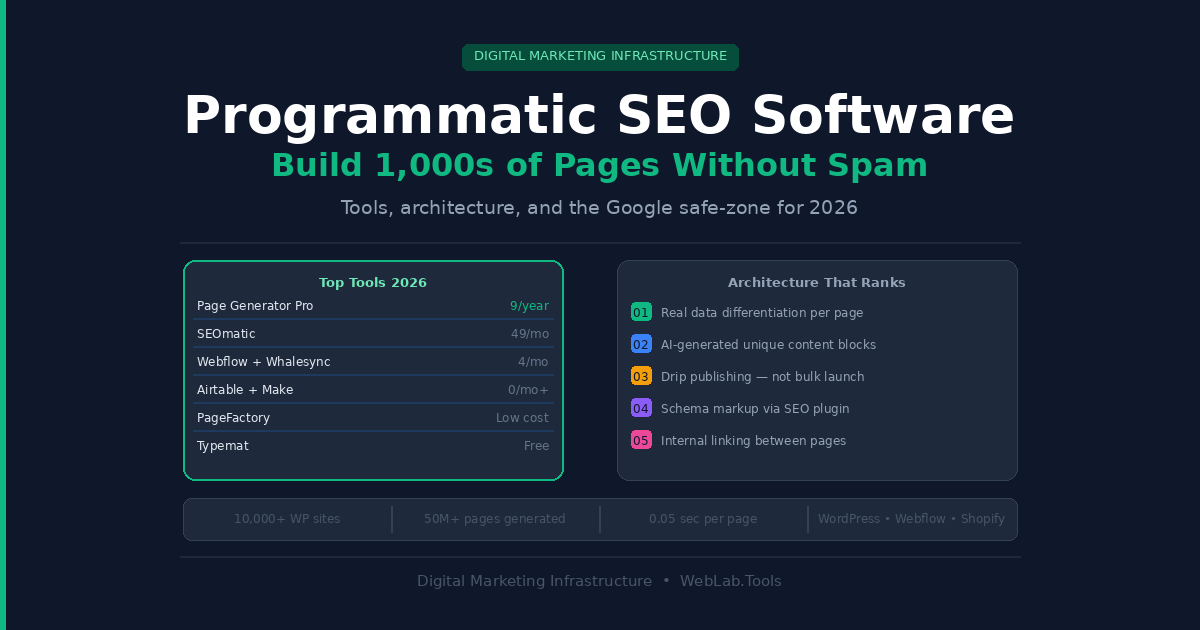
| Page Generator Pro | WordPress mass page building | WordPress | $99/year | Unlimited |
| SEOmatic | Multi-CMS agency teams | SaaS (WP, Webflow, Shopify) | $149/month | Thousands |
| Webflow + Whalesync | No-code visual teams | Webflow | $25/month + $49/month | 100–5,000 |
| Airtable + Make | Custom automated pipelines | Any CMS | From $20/month | Unlimited |
| PageFactory | Beginners, simple campaigns | SaaS (WP + Webflow) | Low-cost entry | Up to 50MB data |
| Typemat | Free entry-level WordPress | WordPress | Free | 5 pages free |
All prices as of May 2026 — confirm at each tool’s official pricing page before purchasing.
1. Page Generator Pro — Best for WordPress at Any Scale
Page Generator Pro is the most deployed programmatic SEO plugin for WordPress, with over 10,000 active installations and 50 million pages generated across its user base. Updated to version 5.5.2 on May 8, 2026, it remains the definitive WordPress tool for this workflow.
The integration depth is what separates it from every competitor in the WordPress space. It connects natively with 25+ page builders — Elementor, Divi, Bricks, Beaver Builder, Gutenberg, Kadence — meaning you build your template in the builder you already use, not a new proprietary editor. It also integrates with 12+ SEO plugins (Yoast, Rank Math, SEOPress, All in One SEO), respecting their meta fields and schema templates during generation rather than overwriting them.
Data sources are extensive: CSV files, Google Sheets, Airtable, Notion, RSS feeds, and direct database connections. Every row in your data source becomes one WordPress page — with dynamic placeholder fields populated from that row’s data. Generation runs at approximately 0.05 seconds per page, meaning 1,000 pages generates in under a minute.
The feature that actually determines ranking success is the built-in location database — 2.6 million cities across 250 countries, each with demographics, latitude/longitude, phone codes, and timezone data. For local SEO campaigns, this means every “plumber in [city]” page gets genuinely unique local data without sourcing it externally. Combined with AI content blocks that generate unique text variations per page, the output clears the differentiation bar Google requires.
What most Page Generator Pro reviews miss: The drip-feed scheduling feature is the safest way to launch large campaigns. Publishing 5,000 pages simultaneously is a flag. Publishing 50 pages per day over 100 days is a content operation. The scheduler handles this automatically, which is a genuine risk-mitigation feature most competing tools don’t offer.
The honest limitation: Page Generator Pro is WordPress-only. If your programmatic SEO strategy involves Webflow, Shopify, or a headless CMS, you need a different tool. Also, while the plugin generates pages cleanly, the quality of those pages depends entirely on how well you design the template and how rich your data source is. The tool generates what you give it — garbage in, garbage out.
Pricing as of May 2026 — confirm at wpzinc.com/plugins/page-generator-pro:
- Personal: $99/year — 1 site license
- Business: $149/year — 3 site licenses
- Agency: $249/year — unlimited sites, white-label options
Best for: WordPress agencies, local SEO campaigns, directory site builders, and any team running large-scale programmatic SEO on a WordPress stack.
Skip if: You’re building on Webflow, Shopify, or a headless CMS. Page Generator Pro’s power only works inside WordPress.
2. SEOmatic — Best Multi-CMS Option for Agencies
SEOmatic is a SaaS platform that publishes programmatic pages directly to WordPress, Webflow, and Shopify from a single interface. For agencies managing multiple client sites across different CMS platforms, that multi-CMS support eliminates the need for separate tools per client.
The AI content generation layer is more integrated than Page Generator Pro’s — rather than adding AI blocks to a template, SEOmatic generates varied content as part of the core page-building workflow. The platform accepts structured data inputs and produces pages where AI-generated sections provide genuine content differentiation per page, not just keyword swaps.
Content spinning support, drip publishing, and direct CMS integration put SEOmatic in a different operational category than simpler template-filling tools like PageFactory. You’re not exporting XML and importing it manually — pages publish directly to the live CMS with meta data, schema, and content in one operation.
The honest limitation: At $149/month, SEOmatic is a meaningful investment compared to Page Generator Pro’s $99/year. For a team managing 10+ client programmatic campaigns simultaneously, the multi-CMS support and operational efficiency justify the cost. For a solo founder running one campaign on WordPress, Page Generator Pro is a fraction of the price with comparable output quality.
Pricing as of May 2026 — confirm at seomatic.ai/pricing:
- Plans start at $149/month with a 14-day free trial
- Higher tiers based on page volume and team seats — confirm current tier structure directly
Best for: Agencies running programmatic campaigns across multiple clients and multiple CMS platforms simultaneously.
Skip if: You only run WordPress campaigns — Page Generator Pro gives you equivalent or better WordPress-specific functionality at a fraction of the monthly cost.
3. Webflow CMS + Whalesync — Best for No-Code Design Teams
For teams that prioritize visual design quality alongside programmatic scale, Webflow’s CMS with Whalesync’s database sync creates a genuinely elegant no-code architecture. You manage all your page data in Airtable or Notion — tools your team likely already uses — and Whalesync automatically creates or updates corresponding Webflow CMS pages in real time.
The workflow is clean: add a row to Airtable, Whalesync creates the page in Webflow, the page renders using your Webflow CMS template, and it publishes. Update the Airtable field, the page updates. The two-way sync means your database is always the single source of truth for your entire page inventory.
The design advantage over WordPress-based tools is significant. Webflow templates are built in a visual designer with full responsive control, custom interactions, and brand-accurate layouts. Programmatically generated pages look identical to hand-crafted pages from the outside.
After Webflow’s May 2026 pricing update, the Premium site plan at $25/month includes 20,000 CMS items and 40 collections — enough for most mid-scale programmatic campaigns without additional cost. Whalesync adds $49/month for the sync layer. Total stack cost starts at $74/month for the Webflow + Whalesync combination.
The honest limitation: This stack scales well up to 5,000–10,000 pages but has practical limits beyond that. Webflow’s CMS architecture was not designed for the kind of 100,000-page programmatic campaigns that WordPress plugins handle. For campaigns in the tens of thousands of pages, the WordPress stack is more appropriate. Also, Whalesync pricing scales with record volume — confirm your tier requirements based on expected page count before committing.
Pricing as of May 2026:
- Webflow Premium: $25/month (annual) — confirm at webflow.com/pricing
- Whalesync: $49/month entry — confirm current tiers at whalesync.com/pricing
Best for: Design-focused marketing teams running 100–5,000 page programmatic campaigns where visual brand quality matters as much as SEO scale.
Skip if: Your campaign exceeds 10,000 pages or you need the depth of WordPress plugin integrations for schema, SEO plugins, and custom post types.
4. Airtable + Make — Best for Custom Automated Pipelines
This is the highest-control approach on the list and the most technically demanding. Airtable serves as the structured data brain — storing keywords, URLs, titles, metadata, and content variables across thousands of rows. Make (formerly Integromat) serves as the automation backbone that connects that data to your CMS, triggering page creation workflows based on rules you define.
The power of this stack is that it connects to virtually any CMS or publishing endpoint. WordPress, Webflow, Shopify, Ghost, HubSpot — if it has an API, Make can push content to it. For teams running programmatic SEO across multiple platforms simultaneously, or for complex campaigns that pull from multiple data sources (product databases, external APIs, search console data), this architecture handles what purpose-built tools cannot.
Make’s visual workflow builder requires no coding — but it requires genuine SEO workflow thinking to configure correctly. You’re not filling in a template and pressing generate. You’re designing a data pipeline where each step transforms, enriches, or routes content toward a publishing endpoint. That complexity is the trade-off for flexibility.
What most agency guides miss: Make’s trigger-based automation means programmatic page updates can fire automatically when source data changes. A price comparison page can update nightly from an API. A local business directory page can refresh when the underlying dataset changes. That dynamic freshness is something static page-generation tools can’t provide without manual regeneration runs.
Pricing as of May 2026 — confirm at airtable.com/pricing and make.com/en/pricing:
- Airtable Free: Up to 1,000 records, 5 editors
- Airtable Team: $20/seat/month (annual) — 50,000 records, AI features
- Make Free: 1,000 operations/month
- Make Core: $10.59/month — 10,000 operations/month
- Make Pro: $18.82/month — 100,000 operations/month
Best for: Technical growth teams and agencies building custom programmatic SEO pipelines that need to pull from multiple data sources and publish across multiple CMS platforms.
Skip if: You don’t have someone comfortable building multi-step automation workflows. The setup investment is real — budget 2–4 days to architect and test a pipeline before it runs reliably.
5. PageFactory — Best Entry Point for Simpler Campaigns
PageFactory is a cloud-based SaaS tool that does one thing: turns database records into published pages using customizable templates. It integrates with WordPress and Webflow, accepts data from spreadsheets and Airtable, and generates pages with a visual template builder that requires no technical knowledge.
The bulk preview feature before publishing is genuinely useful — you can review 500 generated pages for template errors, empty fields, or formatting issues before anything goes live. That quality-control step prevents the scenario where you discover a broken placeholder after 300 pages have already published.
For a small business running their first programmatic SEO campaign — a 50-city local service campaign or a 200-product directory — PageFactory covers the use case cleanly without the complexity of Page Generator Pro’s full feature set or the cost of SEOmatic’s monthly subscription.
The honest limitation: PageFactory has a 50MB data processing limit per batch, which becomes a constraint for large campaigns. It also lacks AI content generation, content spinning, and drip scheduling — features that directly affect content differentiation quality and safe publishing pace. It’s appropriate for campaigns where your data is already rich enough that simple variable insertion produces meaningfully unique pages.
Best for: Small businesses and solo marketers running their first programmatic SEO campaign with a clean, manageable dataset under 50MB.
Skip if: You need AI content generation, drip publishing, or data volumes above 50MB per campaign. Upgrade to Page Generator Pro or SEOmatic when you hit that ceiling.
6. Typemat — Best Free Starting Point
Typemat is the only genuinely free programmatic SEO tool on this list. It connects to Google Sheets, maps columns to WordPress post elements, and exports XML files for direct WordPress import. No account required to test basic functionality. The free tier supports 5 pages — useful for validating a template before scaling.
For a solo entrepreneur who wants to test whether programmatic SEO works in their niche before investing in paid tooling, Typemat’s free tier removes the financial barrier entirely. Build a 5-page test campaign, get it indexed, verify the traffic signal, then upgrade.
The honest limitation: Typemat is a basic tool that performs a basic function. There’s no AI content generation, no CMS automation, no drip scheduling, no internal linking support, and no direct publishing. You export an XML file and import it manually into WordPress. For large campaigns, that manual step compounds into real time cost. It’s appropriate only as a proof-of-concept tool, not as a production programmatic SEO platform.
Pricing as of May 2026 — confirm at typemat.com:
- Free: 5 pages
- Lifetime upgrade: Available for unlimited pages — confirm current price directly
Best for: Solo entrepreneurs testing a programmatic SEO concept for the first time before committing budget to a paid platform.
Skip if: You’re beyond the proof-of-concept stage. Typemat’s manual workflow doesn’t scale into a real campaign operation.
The Architecture That Actually Ranks in 2026
The tools above handle page generation. What they can’t do is guarantee ranking. The architecture that consistently ranks in 2026 combines three elements:
1. Real data differentiation. Every generated page needs at least one element that is genuinely unique and data-driven — not just a city name swap. Local population data, unique business listings, weather patterns, ZIP code demographics, distance calculations, local review aggregates. Page Generator Pro’s 2.6 million city database is the most plug-and-play source for this in the WordPress ecosystem.
2. AI-generated content sections. A static template with variable replacement produces pages that share 90%+ identical text. Adding an AI content block that generates a unique paragraph or FAQ per page reduces that overlap dramatically. Most tools on this list support this either natively or through an AI integration. Use it.
3. Drip publishing. Publishing 10,000 pages simultaneously is an algorithmic signal. Crawl budget concentration, sudden index additions, and uniform timestamp patterns all behave like spam to Google’s systems. Publishing 100 pages per day over 100 days behaves like a content operation. Page Generator Pro’s scheduler and SEOmatic’s drip publishing both handle this correctly.
For teams managing programmatic SEO alongside a broader digital marketing infrastructure, our Framer vs Webflow guide covers the CMS architecture decisions that affect how programmatic pages are built and served — including Webflow’s new May 2026 pricing that changes the cost calculation for the Webflow + Whalesync stack specifically.
Final Verdict
The right tool depends entirely on your CMS and campaign scale.
WordPress, any scale: Page Generator Pro at $99/year. No competitor matches its depth, integration count, or value at that price point.
Multi-CMS agency workflow: SEOmatic at $149/month for the operational efficiency of publishing across WordPress, Webflow, and Shopify from one interface.
No-code design-first teams: Webflow + Whalesync from $74/month combined — the best visual output quality in the category for campaigns under 10,000 pages.
Custom pipeline with maximum control: Airtable + Make for teams with technical workflow builders who need to pull from multiple data sources and push to any endpoint.
First-time campaign testing: Typemat free tier to validate the concept before spending anything.
The biggest mistake in programmatic SEO is optimizing for page count rather than page quality. A 500-page campaign where every page genuinely serves a user will outperform a 10,000-page campaign of thin variables every time. Pick the tool that helps you hit the quality bar at your target scale — not the one that generates the most pages the fastest.
FAQ
What is programmatic SEO and when does it work?
Programmatic SEO is the practice of generating hundreds or thousands of pages from structured data and templates rather than writing each one manually. It works best for content with consistent structure but high variation — location pages, product comparisons, directory listings, glossary definitions. It works poorly for topics that require genuine expert analysis, nuanced opinion, or original research — those need human-written content regardless of scale.
Will Google penalize programmatic SEO pages in 2026?
Google does not penalize programmatic SEO as a strategy — it penalizes thin, low-value pages regardless of how they were created. Pages generated programmatically that include genuine data differentiation, original content sections, proper schema markup, and real utility for the user rank and compound in search. Pages that are pure find-and-replace on a template get demoted under the Helpful Content system. The strategy is safe. Lazy execution of the strategy is not.
What is the best programmatic SEO tool for WordPress?
Page Generator Pro at $99/year is the clear answer for WordPress. It supports 25+ page builders, 12+ SEO plugins, AI content generation, spintax, a 2.6 million city location database, drip scheduling, and generates at 0.05 seconds per page. It has been the dominant WordPress programmatic SEO plugin for over a decade and updated as recently as May 8, 2026.
How many pages can you safely generate at once?
There’s no universal safe limit — it depends on your site’s existing authority, crawl budget, and the quality of pages being generated. As a practical guideline, new sites should drip-publish 20–50 pages per day maximum until the first batch is indexed and shows no manual action. Established authority sites with existing crawl budget can publish at higher velocity. Always preview a test batch of 10–20 pages and verify indexing before running a full campaign.

