

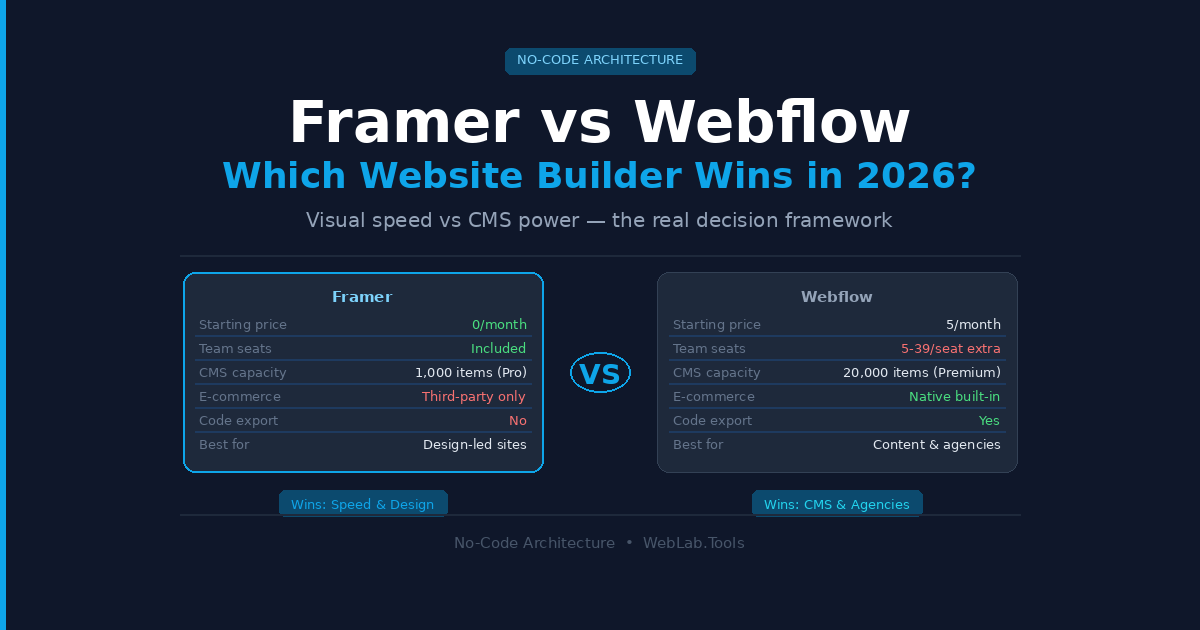
The honest answer is that neither tool wins universally. The better question is which one wins for your specific project — and getting that wrong costs you months of rework and a rebuild you didn’t budget for.
I’ve used both platforms—testing Framer for quick landing pages for Techgng, and relying on Webflow’s CMS depth for SharifExpress. Webflow feels like you’re building with CSS — which is powerful, but only if you actually want that level of control. These are not the same tool with different logos. They’re built for fundamentally different types of work, and the people who switch from one to the other mid-project are almost always the ones who ignored that distinction at the start.
Here’s the actual decision framework, with real 2026 pricing — including Webflow’s major pricing restructure that landed in May 2026.
Table of Contents
Quick Comparison — Framer vs Webflow 2026
| Framer | Webflow | |
|---|---|---|
| Starting price | $10/month (annual) | $15/month Basic (annual) |
| CMS entry point | $10/month (1 collection) | $25/month Premium (40 collections) |
| Team seats | Included in plan | $15–$39/seat/month extra |
| E-commerce | Third-party only | Native, from $29/month |
| Code export | No | Yes (paid Workspace) |
| CMS capacity | Up to 10,000 items | Up to 20,000 items (Premium) |
| Learning curve | Low — Figma-like | Steep — CSS knowledge helps |
| Best for | Design-led marketing sites | Content-heavy, SEO-driven, agencies |
What Changed in 2026 — Important Before You Read Any Other Comparison
Most Framer vs Webflow articles you’ll find online are already outdated. Webflow made a significant pricing restructure on May 13, 2026 that changes the comparison materially.
What Webflow changed:
- The old CMS ($23/month) and Business ($39/month) Site plans were merged into one new Premium plan at $25/month (annual) — which now includes 20,000 CMS items and 40 CMS collections. CMS item add-ons have been removed entirely.
- The Basic plan moved from $14 to $15/month annually, with the static page limit doubling from 150 to 300 pages.
- A new Team plan launched at $2,500/month (annual only) — an all-in-one plan aimed at teams between self-serve and Enterprise, bundling 10 seats, 100 CMS collections, Localization, and AEO agents.
- AI credits are now included in all Workspace plans, with usage limits not enforced until June 29, 2026.
- The legacy Editor is being retired August 4, 2026 — if your workflow depends on it, that transition needs to happen now.
For existing Webflow customers on Agency or Freelancer Workspaces, these changes don’t take effect until your next renewal on or after November 16, 2026. But new site plan purchases are on the new pricing immediately.
Framer consolidated from five plans to three main tiers in early 2026, simplifying its lineup. Framer has not made an equivalent structural change to its pricing during this period.
Pricing — The Real Numbers for Real Use Cases
Webflow’s dual billing system is where most people get confused and most comparison articles gloss over. You pay for a Site plan (hosting, per published site) and a Workspace plan (design environment, team collaboration) separately. A 5-person team on Webflow is not just paying the site plan price.
Framer pricing as of May 2026 at framer.com/pricing:
- Free: Up to 1 page, Framer subdomain, no custom domain
- Basic: $10/month (annual) — custom domain, 30 pages, 1 CMS collection, 2 editor seats
- Pro: $30/month (annual) — 1,000 CMS items, 10 editor seats, staging, A/B testing, 301 redirects
- Enterprise: Custom pricing
Webflow Site plan pricing as of May 2026 at webflow.com/pricing:
- Starter: Free — 2 pages, webflow.io subdomain only, 50 CMS items
- Basic: $15/month (annual) — 300 static pages, custom domain, no CMS
- Premium: $25/month (annual) — 20,000 CMS items, 40 collections, staging
- Ecommerce: From $29/month (annual) — native cart and inventory
- Team: $2,500/month (annual) — all-in-one for 10 seats, 100 collections, Localization, AEO agents
- Enterprise: Custom pricing
The team seat reality: Framer’s Pro plan at $30/month includes 10 editor seats. A 5-person Webflow team on the Premium site plan pays $25/month for the site, then adds Workspace seats — Full seats at $39/month each, Limited seats at $15/month each. A 5-person team managing one site on Webflow is realistically paying $25 (site) plus $95–$195 in seats, depending on roles. That’s $120–$220/month total compared to Framer Pro’s $30/month.
For a single marketing site with a small team, Framer is significantly cheaper. That math changes at agency scale, which we’ll address below.
Design and Build Speed — Where Framer Wins Clearly
Framer’s canvas is freeform. You drag elements where you want them, set interactions directly on components, and publish without touching a class naming system. For a designer coming from Figma, the transition is measured in hours, not weeks. A landing page that takes a full day to build in Webflow routinely takes half a day in Framer.
Framer’s animation tooling is the strongest visual argument for the platform. Smooth scroll effects, entrance animations, and micro-interactions that would require significant Webflow Interactions configuration are achievable in Framer in minutes. If the project brief includes “we want it to feel alive,” Framer delivers that faster than any alternative in this category.
Webflow’s design system is class-based — the way CSS actually works. Every element has classes that control how it looks across breakpoints. This is more rigid than Framer’s freeform approach, which means it takes longer to learn and longer to build initially. The payoff is a maintainable, consistent codebase that scales across hundreds of pages without visual inconsistency bleeding in from freeform edits.
What most Framer reviews miss:
Framer does not offer code export. Once you build in Framer, you are hosted on Framer. If a client wants to own the codebase, self-host it, or hand it to a development team to extend with custom back-end logic, Framer cannot accommodate that requirement. Webflow exports clean HTML, CSS, and JavaScript on paid Workspace plans. For enterprise procurement that requires code ownership, Webflow is the only option between the two.
CMS — Where Webflow Wins Clearly
This is where the decision often gets made for content-driven teams and it’s not close.
Webflow’s CMS after the May 2026 update supports up to 20,000 items and 40 collections on the Premium plan. You can build multiple collection types — blog posts, case studies, team members, testimonials, job listings — all relational, with reference and multi-reference fields connecting them. A blog post can reference an author (from a team collection) who has tags (from a category collection) with related posts (from the same blog collection). That’s a proper content architecture.
Framer’s CMS works cleanly for single-collection sites. A blog, a team page, a product listing — one content type per project tier. The Basic plan at $10/month includes 1 collection. The Pro plan at $30/month adds relational CMS with up to 1,000 items. It covers the majority of marketing site use cases without issue. But if your site needs multiple interlocking content types, Framer’s CMS will feel like a constraint within 6–12 months of content growth.
A useful reality check from building web projects: teams launching with 20 blog posts often reach 200 within a year of consistent content marketing. At 1,000 CMS items, Framer Pro’s cap becomes a live operational issue. Webflow’s 20,000-item limit at $25/month gives you room to grow without a platform migration conversation.
For SEO-driven content operations specifically:
Webflow’s structured content output, template-level CMS metadata, schema control, and Webflow’s new AEO (Answer Engine Optimization) audit tools — now built into the platform at the Workspace level — give content teams a stronger long-term toolset than Framer’s current offering. If AI search visibility is part of your 2026–2027 acquisition strategy, Webflow has operationalized that at the platform level in a way Framer has not yet matched.
Webflow for Agencies — The Real Workflow
If you’re running a web design agency, the Webflow vs Framer question is mostly answered by one feature: client billing and transferable sites.
Webflow’s Agency Workspace lets you build a site under your account, then transfer the site plan billing directly to the client. Your client pays for their own hosting, you maintain design access, and the financial relationship is clean. Client billing, white-label options, and unlimited staging sites are all part of the Agency Workspace model.
Framer offers free client editing access on higher plans, which is valuable. But the client billing handoff model — where a client takes ownership of their site subscription independently — is more fully developed in Webflow. For agencies managing 10–20 live client sites simultaneously, that operational clarity matters every month.
The other agency-specific Webflow advantage: a substantially larger talent pool. Finding a Webflow developer or designer for project overflow is straightforward — the platform has been in the market longer and has a significantly larger community. Finding Framer specialists for surge capacity is harder and more expensive in 2026.
The honest limitation for agencies on Webflow:
The dual billing system — Site plan plus Workspace seats — means your internal costs for a 5-person agency team are higher than they appear at first glance. At $39/month per Full seat for designers plus site plan costs per project, Webflow’s real monthly bill for an active agency is materially higher than Framer’s bundled pricing. Run the actual numbers for your team size before committing.
E-Commerce — No Contest
If your project includes a native shopping cart, inventory management, product pages, and checkout — Webflow is the only option between these two platforms.
Webflow has native e-commerce built into its Site plan stack, starting at $29/month with a 2% transaction fee. The Plus plan at $74/month removes the transaction fee, which pays for itself the moment your monthly sales volume crosses approximately $3,700. Physical products, digital downloads, subscriptions — all manageable without leaving Webflow.
Framer has no native e-commerce. You can embed third-party tools — Shopify Buy Buttons, LemonSqueezy, Gumroad — but this adds integration complexity, additional monthly costs from the third-party platform, and a fragility that increases with every update either platform ships. If e-commerce is a core requirement, don’t build on Framer. The workarounds are real but unnecessary when Webflow solves it natively.
Who Should Choose Framer
Choose Framer if:
- You’re a designer who wants to publish directly from a Figma-like canvas without learning a class-based CSS system
- Your project is a marketing site, landing page, portfolio, or SaaS homepage where design quality and animation are the priority
- Your team is small (under 5 people) and bundled pricing at $30/month is meaningfully better than Webflow’s seat-layered cost model
- You need to ship fast — a landing page in a weekend, an MVP site before a launch event
- Your content footprint is manageable within one or two CMS collections
Skip Framer if:
- Your client wants to own the codebase or self-host
- You need native e-commerce
- Your site will grow to multiple content types, 1,000+ CMS items, or hundreds of relational blog posts within 18 months
- You’re building for a regulated industry that requires code export for compliance review
Who Should Choose Webflow
Choose Webflow if:
- You’re running a content-driven site — a blog, resource library, case study hub, or anything where SEO and structured content are the primary growth lever
- You’re building for an agency workflow where transferring site billing to clients cleanly is an operational requirement
- You need native e-commerce without third-party workarounds
- Your team needs code export for developer extension or compliance
- You’re building for enterprise procurement where SOC 2 Type II, SSO, and audit trails are on the requirements list
- You want the strongest AEO (AI search visibility) tooling available in a no-code platform in 2026
Skip Webflow if:
- You’re a solo designer who just needs a beautiful marketing site live by next week — the learning curve and dual billing complexity are not worth it at that scale
- Your budget is tight and you cannot justify $25/month per site plus Workspace seat costs for a simple 10-page project
- Your whole team is Figma-native and nobody wants to learn class-based CSS thinking
FAQ
Is Framer easier to use than Webflow?
Yes, significantly. Framer’s canvas is freeform and Figma-familiar — designers can build and publish without learning CSS class logic. Webflow’s class-based system is more powerful at scale but requires a genuine learning investment. Most designers report being productive in Framer within a day; in Webflow, budget at least a week before you’re building confidently.
Which platform is better for SEO in 2026?
Webflow has the stronger SEO and AEO toolset in 2026. It supports template-level CMS metadata, schema control, canonical settings, 301 redirects, and now has native AEO audit agents built into the Workspace — designed specifically to improve visibility in AI search results like ChatGPT and Perplexity. Framer covers core SEO controls (metadata, sitemaps, canonicals, redirects on Pro) but doesn’t yet match Webflow’s depth for content-heavy sites targeting competitive keyword clusters.
Does Webflow work for small businesses or is it overkill?
For a small business that just needs a clean marketing site with a blog, Webflow’s new Premium plan at $25/month covers it well. The learning curve is the real barrier, not the price. If nobody on your team wants to invest time learning the platform, Framer at $10–$30/month delivers a professional result faster with less friction. If you plan to grow your content operation seriously, Webflow’s CMS pays off over 12–18 months.
Can you migrate from Framer to Webflow later?
Yes, but it’s a rebuild rather than a migration. Framer does not export code, so there’s no automated transfer. You’d rebuild the site in Webflow from scratch using your Framer design as a reference. Teams that anticipate content-heavy growth often use Framer to launch fast, then rebuild in Webflow once the content strategy is validated. It’s a known pattern and works, but budget for the rebuild as a distinct project.
What is Webflow’s new Team plan and who is it for?
Webflow launched a Team plan at $2,500/month (annual) in May 2026. It’s an all-in-one plan that bundles a site with 100 CMS collections, 10 seats, Localization, AEO agents, page branching, and single-page publishing. It’s positioned between self-serve plans and Enterprise — aimed at fast-growing marketing teams that need governance, localization, and higher CMS capacity without a full Enterprise contract. For most small businesses and solo freelancers, it’s overkill. For a 10-person marketing team managing a multi-language content operation, it removes most of the operational friction points in one subscription.
Final Verdict
Framer wins on speed, design freedom, and cost for small teams. If the goal is a beautiful, interactive marketing site shipped fast by a design-led team, Framer is the right tool in 2026.
Webflow wins on CMS depth, SEO infrastructure, agency workflow, e-commerce, and long-term scalability. If the goal is a content operation that compounds in search over two years, or an agency workflow that hands off cleanly to clients, Webflow earns its complexity.
Most of the “Framer vs Webflow” arguments online are actually “design-led site vs content-led site” arguments in disguise. Identify which type of site you’re building first, and the platform choice follows naturally.
For teams evaluating where this decision sits inside a broader no-code architecture, see our ClickUp Alternatives 2026 guide on structuring project management alongside your build workflow — and our AI Sales Agents for Small Business article if you’re building the site to support an outbound sales motion.

